Problem and user
Connect everyday spending to a clear shared view of budgets, cash flow and household plans.
Couples and shared households coordinating spending across different income cycles.

Private beta
A shared view of household money, from everyday capture to budgets and forward planning.
Problem and user
Couples and shared households coordinating spending across different income cycles.
My role
Outcome and status
Learning
A household needs a common operating picture, not simply another transaction list.
Next step
Validate adoption and harden shared-access and recovery paths.
TL;DRA shared view of household money, from everyday capture to budgets and forward planning.
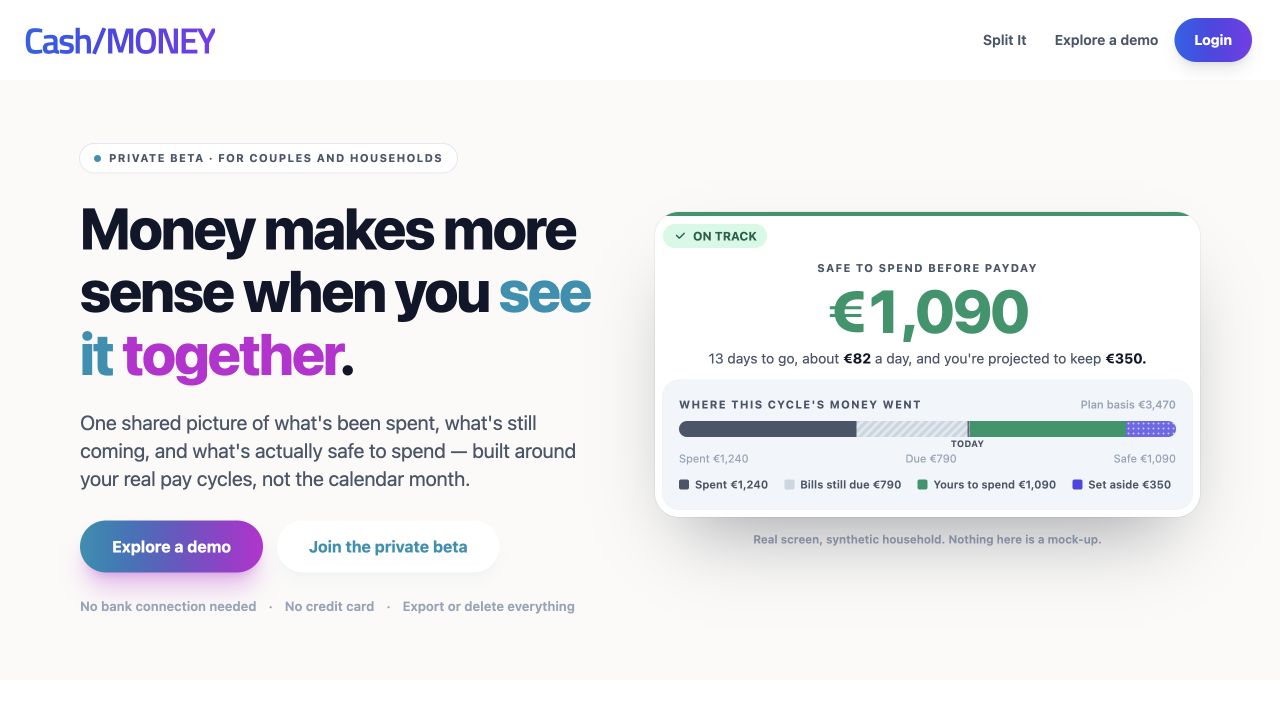
Cash/MONEY started with a practical household problem: keeping everyday spending visible without maintaining a chain of spreadsheets, Notion forms and automations. The first product replaced that fragile workflow with fast transaction capture and a dedicated API.
The work has since developed into a broader household finance product. Shared ledgers, budgets, cash-flow cycles, planning, goals, notifications and reports connect the daily transaction to the decisions a household needs to make next.
Couples and shared households do not always earn or spend on the same cycle. A useful operating view needs to show budget pressure, expected cash flow and the effect of a decision over time. Cash/MONEY brings those concepts together instead of treating the ledger as the whole product.
Fast capture remains a key entry point. Defaults and predictions reduce repeated input, while budget context gives the entry a consequence the user can understand. Shared access and family permissions are part of the model, not an assumption that every participant should see everything.
The SvelteKit frontend and Flask/PostgreSQL backend support a common finance model. Separate mobile and operational tooling exist alongside the web application. The public showcase uses sanitised examples and describes household scenarios without depending on authenticated financial APIs.
Product direction includes shared-expense acquisition, more capture assistance and mobile workflows. Those are areas for continued validation; this story does not imply that bank integrations or every planned client capability are already available.
Cash/MONEY demonstrates the evolution from a focused personal need into a connected product domain. It combines interaction design, modelling, multi-user permissions and operational concerns around a clear purpose: helping a household understand where it stands and what comes next.
The next phase is to validate adoption and harden the shared-access and recovery paths before broadening acquisition. Measured financial outcomes and user-growth figures are intentionally omitted until supported by evidence.
A local workspace that brings Git, services and development tools into one operating view.
The South African pub dice game, with online rolls, real-table scorekeeping and persistent group history.
Find the useful moments in long videos, with connected transcripts, frames and engagement signals.
Turn a booking, message or school note into a calendar draft you can review, edit and export.
Make German practice easier to return to, with vocabulary review, exam preparation and short Word Sprint games.
An F1 data project started in 2018, adapted into an API and a traceable source pipeline for new product ideas.
A daily football trivia game that turns a player’s career into clues, with a leaderboard to bring people back.
A private home marketplace that makes interest, reservations and handovers easier to coordinate.
Building with AI